
You can now interact with your VM on Slack. We store your Slack credentials outside your VM so you don’t have to worry about agents running amok (incidentally, that’s true of all our integrations). There are two flavors of Slack integration:
Slack
The first is a send-only version of Slack (just labelled “Slack” on the integrations page). You can read more about it here: https://exe.dev/docs/integrations-slack
Hooking it up is simple. When you create an integration, you will be directed to Slack to choose a workspace and channel. Then, attach the integration to a VM and call it from there:
curl --json '{"text":"Everything is groovy"}' https://<slack-integration-name>.int.exe.xyz/
Your message will show up in the linked channel.
Slack Bot
The second flavor is a little more complex, but much more flexible. It’s called “Slack Bot” on the integrations page. It will allow you to make a fully fledged Slack bot that can read/write and do whatever else you give it permissions to do. The setup is a little more involved because you need to make the app and grant it all the permissions you want your bot to have. More detailed instructions are on the documentation page: https://exe.dev/docs/integrations-slack-bot
Once you’ve created your app, drop its two tokens into the integration. Then you can do a simple curl call to write to the channel:
curl -X POST https://<slackbot-integration-name>.int.exe.xyz/api/chat.postMessage --json '{"channel": "#exe-dev-integration-test","text":"hi"}'
Or you can make a full-blown responsive chatbot. There’s demo code included in the documentation.
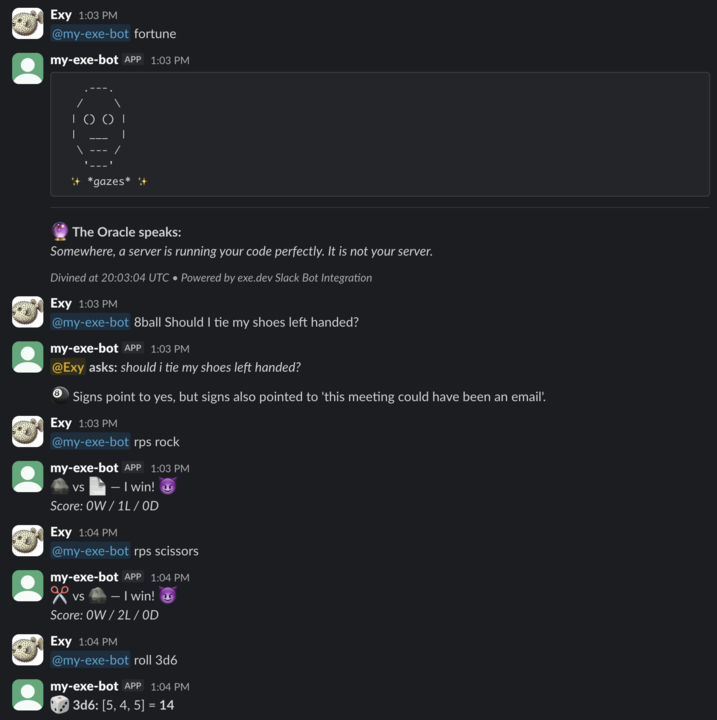
Have fun and enjoy slacking!