
If you haven't checked out our app yet, it's in the App Store. We blogged about it the other day.
Once we decided in one of our Tuesday in-person meetings to build our iOS app, my first stop was the Stonestown Mall Apple Store, to buy the best Mac Mini I could find. (The choices were slim!) From my experience building on the web with Shelley, I knew that I needed to set up a "software workshop" (I hesitate to call this one a factory) where the agent had access to the iOS simulator and the capacity to screenshot it.
My building blocks were as follows:
- An exe.dev VM ("the proxy") where I could access Shelley (the coding agent) on https://proxy-vm.shelley.exe.xyz/
- Shelley, running on the Mac mini
- SSH -R forwarding, such that port 9999 on the proxy VM connected back to Shelley on the Mac. Since exe.dev VMs are on the Internet behind an auth proxy, this lets me access my agent from my other computers and my phone.
- XCode and the iOS simulator
- The entertainingly-named xcodebuildmcp-cli and a quick AGENTS.md that told Shelley about it. Shelley calls this using the bash tool. There's no MCP here; the CLI was more than enough.
- A USB cable to install the app onto my phone once, so that future builds could be delivered over the air. (If I were to do it over again, I'd investigate Fastlane matchwhich manages these certs.)
- A vibe-coded over-the-air (OTA) server which serves a
manifest.pliston a (required) TLS connection. This OTA server builds my tree whenever it changes, and serves a button to install the tip onto my phone over the air. Cookies aren't sent once you go into the download flow, so if you run this on exe.dev, you need to make the server public, implement auth for the index page using "Login with exe" and serve the relevant downloads obscure but unprotected. (Or you can use Tailscale if your phone and Mac are on the same Tailscale network.) - If you don't want to dedicate a Mac to it, you can use a Tart VM, and that's pretty smooth too. I use a Tart VM for the CI builder. We continuously deploy test builds into TestFlight Employee builds from main, because, as Dani Rojas didn't say in Ted Lasso, "CD is Life."
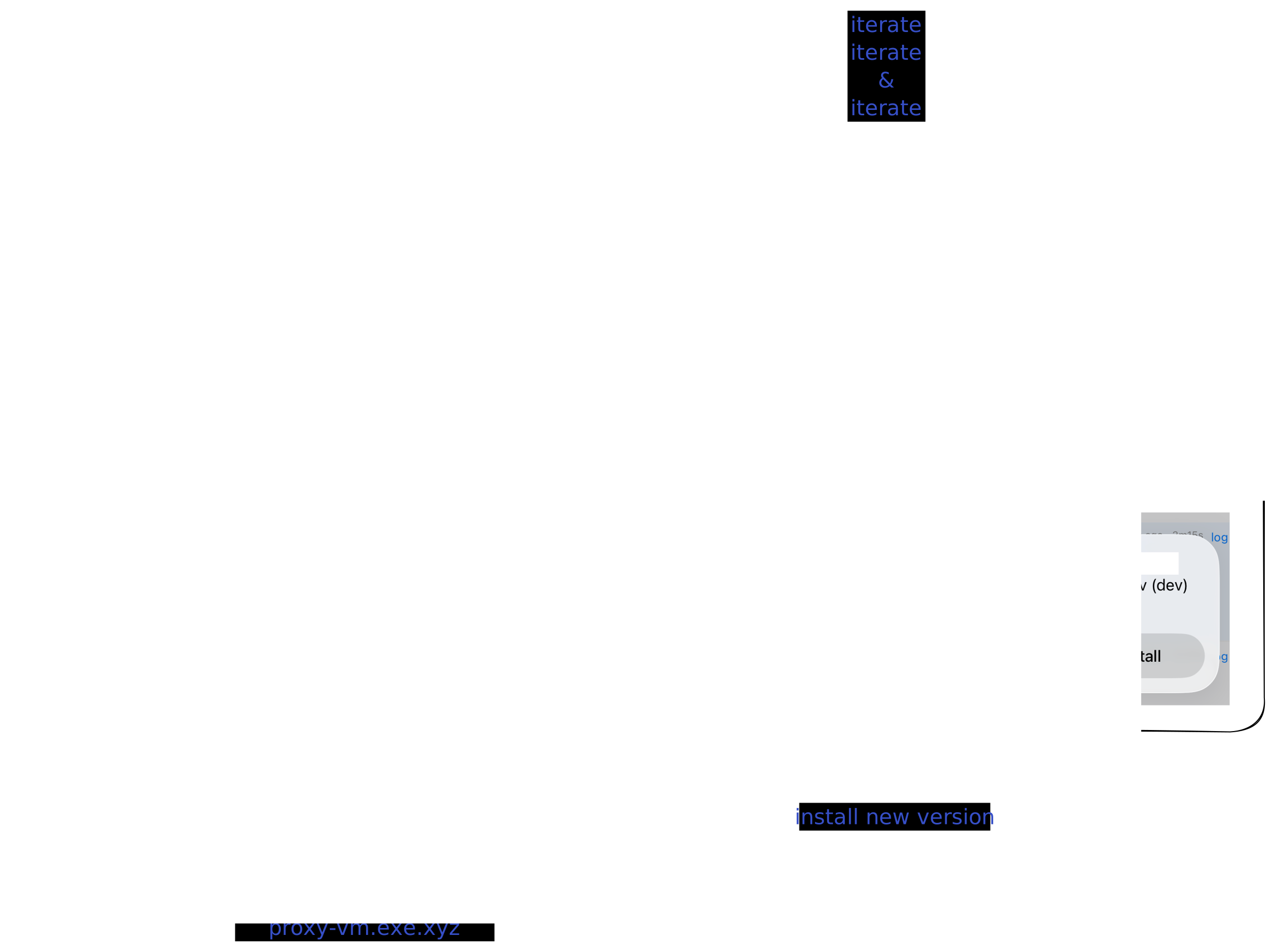
Once I could ask the agent for a change from my phone, using the app (or Shelley on mobile web), and download the subsequent build to try it, the workshop was complete: I could now use the app, identify something that's bothering me, and tee it up for the agent. Iteration, for the win.
A few more vignettes from app development:
The app has to synchronize with all the Shelley agents. Somehow, partial synchronization of a sqlite database (what's called "incremental view maintenance" in the literature) is very much not a cookie-cutter solved problem. I used two approaches. First, for the conversation list, every time there's a sqlite commit in Shelley, Shelley re-computes the "active conversations list," compares it to the previous one, and sends a jsondiff over the connected SSE stream to the app. Because the data is small (it's bounded to hundreds of conversations) and this only happens when you're active, this is fast enough. This allows the client keep an up to date conversation list view (per VM). Within a conversation, Shelley's messages table is an append-only log with dense sequence ids. This lets the client cache messages 1-17, and, when the client realizes that we're at 20, it can fetch 18-20 and stay up to date. Shelley's web UI uses the same protocols using encrypted IndexedDB as a cache. Image attachments to LLM calls get removed and fetched asynchronously, too. (The next optimization would be to remove tool call outputs as well.) I ended up porting this "ShelleyKit" library to vanilla Swift, so that I could run its tests on Linux easily.
As you'd expect, during development, things were often slow. I used MetricsKit to send logs back to our backend, where I would analyze them with Clickhouse. I also built debug overlays on the conversation view that showed me what was coming over the stream, and what we were redrawing, and so on. The debug build also has a built-in profiler that shows a flamegraph of what's going on. With a little bit of iteration, I'm reasonably happy with the performance of the app, though there is always much more to do.
For the terminal, we'd already built a web-based terminal with persistence. That works by running your login shell under dtach and connecting to the dtach unix socket using SSH from our proxy servers. The web-based terminal uses websockets to connect to that. This provides persistent sessions that survive browser reloads, Wifi interruptions, and so on. Our iOS terminal uses the same mechanism.
When I was collecting e-mails from our users on Discord for TestFlight, I started, from habit, clicking on a Google Form. Then, I thought to myself, "what am I doing?!?!" and spun up a VM and vibe-coded a registration app. In the end, this app managed not just the TestFlight intake, but also helped me invite people to TestFlight, and kept track of builds.
The following shape of a prompt was valuable for finding some issues ahead of the App Review cycle.
Look through the apple iOS app guidelines as well as our iOS app systematically, using subagents. What needs to be fixed? https://developer.apple.com/app-store/review/guidelines/
We hope you give the iOS app a whirl!